SSO ID Admit Card
Are you looking for your SSO ID Admit Card for an upcoming Rajasthan government exam in 2025? You’re not alone. Whether it’s for REET, RPSC, or CET 2025, this guide provides a task-focused, clear, and accurate walkthrough to help you access your admit card swiftly using your SSO dashboard. Let’s get straight to the process.
Process to Download SSO ID Admit Card
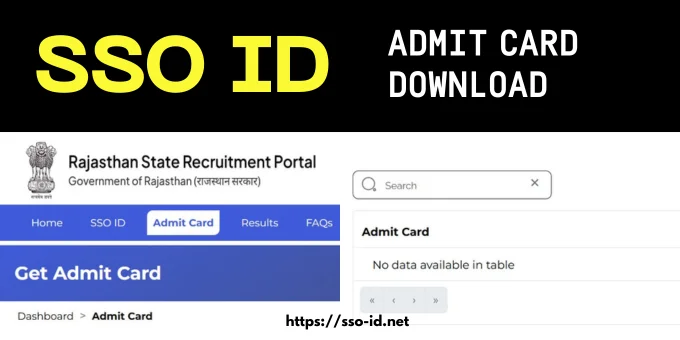
- Log in to your SSO ID account: Visit the official site and use your SSO ID and password to complete the SSO ID login process.
- Go to the Recruitment Portal: Open the search bar and type “Recruitment Portal“, then click on your exams or services you’ve applied for.
- Select Exam: Choose any exam that you’re enrolled in. For example, the CET Admit Card 2025.
- Click Admit Card: Click on the Admit Card button and search for your admit card.
- Download Admit Card: After selecting the exam, click on the download button, and a PDF version will be downloaded.
- Print multiple copies: It’s best to carry at least 2–3 hard copies on exam day.
Note: This same process applies whether you’re downloading for REET, Police, RPSC, or CET 2025, and if you are a student, then try the SSO ID login scholarship to get a chance to study for free or at minimal cost as a project of the Rajasthan government for students.
How To Access SSO ID Results
Results for all exams are published in the same tab of the Recruitment Portal.
- Simply log in to SSO ID using your username and password.
- Open the search bar and type “Recruitment portal“, then click on “Results“.
- This tab will display all results, so simply search for your result using the search bar. You can search for all results, such as RSMSSB or CET, by using a single SSO ID.
Remember, if you forget your SSO ID, you can easily recover it with this SSO ID forgot password guide.
Checklist After Downloading Admit Card
Whenever you download your admit card, make sure that you follow this checklist properly to avoid any issues on the exam day.
Mistakes to Avoid While Downloading Admit Card
Frequently Asked Questions
Conclusion
Downloading your SSO ID Admit Card doesn’t need to be stressful. With the right steps, an updated browser, and timely action, you can secure your admit card and focus on exam preparation. Also, take full advantage of your SSO dashboard and check the results of all your exams in one place.