SSO ID Rajasthan
SSO ID Rajasthan is a single sign-on system given to the Rajasthan citizens by the Government of Rajasthan. It was developed and launched in 2013 in Rajasthan, India. With single ID login, you can use more than 100+ government services online. Now, you don’t need to remember different usernames and passwords for different e-services. Everything is available in one place through the SSO ID.
- SSO ID Rajasthan
- Who launched SSO ID Rajasthan and why?
- Benefits of Using SSO ID Rajasthan
- Services Available via SSO ID Rajasthan
- SSO ID Registration
- SSO ID Login
- How to Recover or Reset SSO ID Password
- How to Update Jan Aadhaar & Profile Info
- SSO ID Rajasthan on Mobile (SSO Raj App)
- Features of the SSO Raj App
- SSO ID Rajasthan Helpline Number
- Frequently Asked Questions
- Conclusion
With a Rajasthan SSO ID, you can easily apply for Jan Aadhaar card, educational institutes, government jobs, and many other services. In this guide, we will explain SSO, SSO ID, SSO ID Login, SSO ID Registration and more. So let’s begin!
| Feature | Details |
|---|---|
| SSO ID | One ID to access many Rajasthan govt. services. |
| Available Services | 100+ services: jobs, schools, hospitals, land, etc. |
| Easy Registration | Sign up using Aadhaar, Jan Aadhaar, Bhamashah or phone number in seconds |
| Security Features | OTP, biometrics & 2-step protection for your data. |
| Support | Call 1800-180-6565 or visit any eMitra center. |
| Web & App Access | Use portal via website or mobile app from anywhere. |
| Integration | Connects with Jan Aadhaar & Bhamashah systems. |
| Document Storage | Save IDs & certificates in DigiLocker to be used across all services. |
Who launched SSO ID Rajasthan and why?
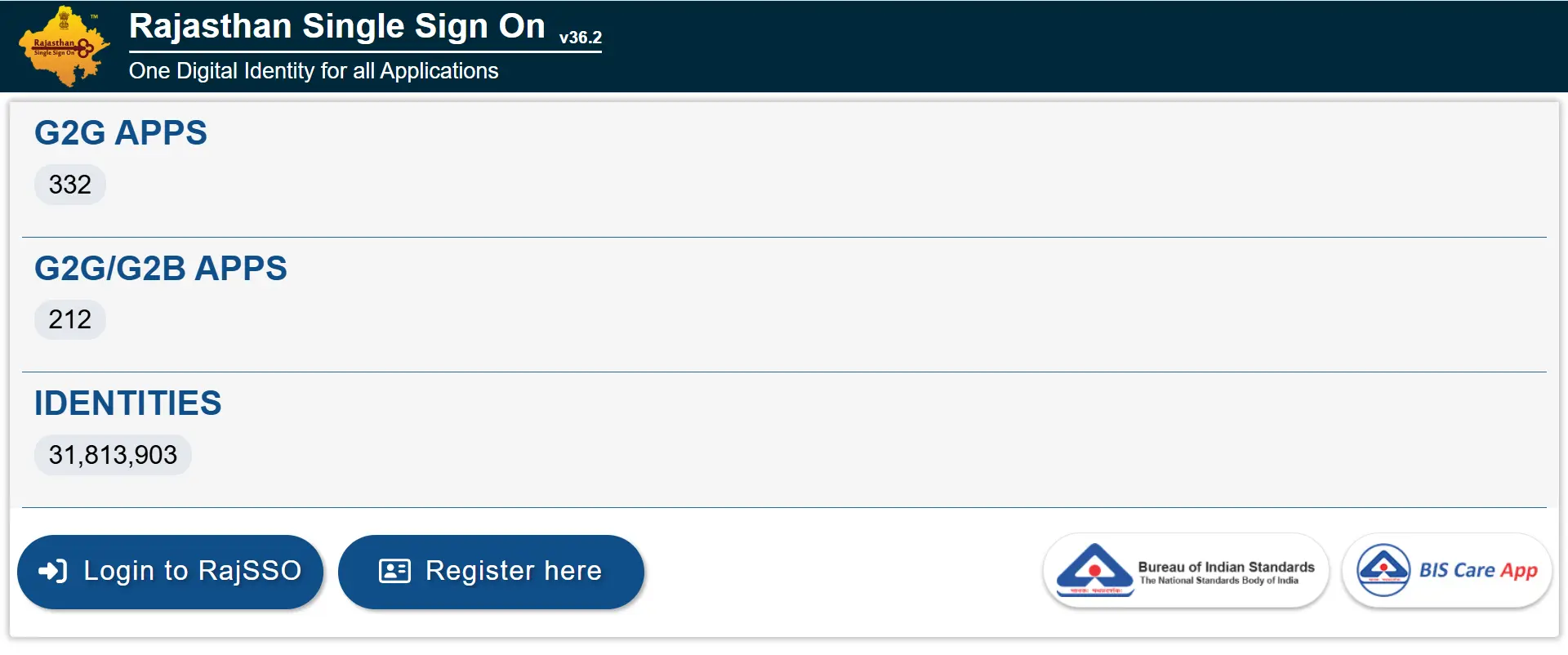
SSO ID Rajasthan was launched by the Rajasthan State Electronics Development Corporation (RSDC) with help from the Rajasthan Information Technology Department. It was made to help people and government workers in Rajasthan. You can use many government and public services with just one SSO ID. The goal was to:
Who can use SSO ID?
SSO ID is useful for different types of people in Rajasthan:
Benefits of Using SSO ID Rajasthan
For Citizens
OTR Absenteeism Rule: If you miss two exams in a year without informing the department, your OTR gets temporarily blocked. Reactivating it costs ₹750 the first time and ₹1,500 if it happens again. Always notify the portal if you cannot appear for an exam.
For Government
Services Available via SSO ID Rajasthan
G2C – Services for Citizens
G2C means the services that the government provides to the public. Some well-known services are listed below.
Example: If you’re a student, you can apply for CET exams and download your admit card easily with your SSO ID. There are some private services as well, such as Max Life Insurance, that manage policies, pay premiums, and check details online.
G2G – Services for Government Employees
G2C refers to the services provided by the government to government employees. Some well-known examples are listed below.
Note: Submit your Immovable Property Return online every year before the January 31 deadline.
G2B – Services for Businesses
G2B services help the government and businesses work together. These services support industries, help businesses run smoothly, and promote growth for business owners. The following are some popular G2B services.
Note: Submit and track your building approval using the BPAS building plan.
Special Services Also Available
SSO ID Registration
If you don’t have an SSO ID yet, now is the perfect time to create one. Registration is completely free and can be easily completed in 5 minutes. Let’s go through it step-by-step.
Eligibility Criteria for SSO ID Rajasthan
The Rajasthan SSO portal is open to three types of users. You are eligible to create an SSO ID if you are:
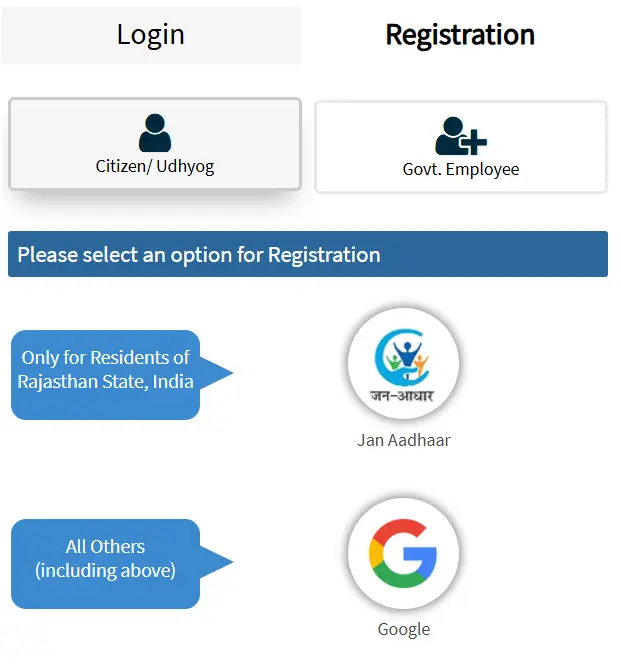
If you meet any of the above, you’re eligible. Please proceed with starting your SSO ID registration process.
Required Documents
Your required documents are different based on your type of registration. Here’s what you need:
| You are… | Register using… |
|---|---|
| Rajasthan citizen | Jan Aadhaar, Aadhaar, Bhamashah, Google, DigiLocker, Meri Pehchaan |
| Business owner | Sansthan Aadhaar Number + BRN |
| Government employee | SIPF Number |
Tip: Provide 100% accurate details while registering to avoid problems with login and other services later.
Step-by-Step Registration Guide
- Go to the portal: Open the SSO ID official site and click on “Register“.
- Pick your user type: Choose Citizen, Udyog (Business), or Government Employee based on who you are.
- Enter your details: Fill in your name, mobile number, date of birth, and email. You can also sign up directly using Jan Aadhaar, Aadhaar, Bhamashah, DigiLocker, or Google.
- Set your password: Use a mix of uppercase letters, lowercase letters, numbers, and symbols.
- Verify with OTP: Enter the OTP sent to your mobile number to confirm your identity.
- You’re done: Your SSO ID is ready. Log in right away and start using any service.
SSO ID Login
To access government services online in SSO ID Rajasthan, follow these simple instructions, which are quick and easy to complete.
- Open the portal: Go to the official SSO ID site on your phone or computer.
- Enter your login details: Type your SSO ID and password, or use Jan Aadhaar, Google, or DigiLocker to log in.
- Fill the Captcha: Type the characters shown on screen.
- Enter OTP: Type the code sent to your registered mobile number.
- Hit Login: You’ll land straight on your dashboard with all services ready.
- If you are confused about some steps, then visit our detailed SSO ID Login page to log in seamlessly.
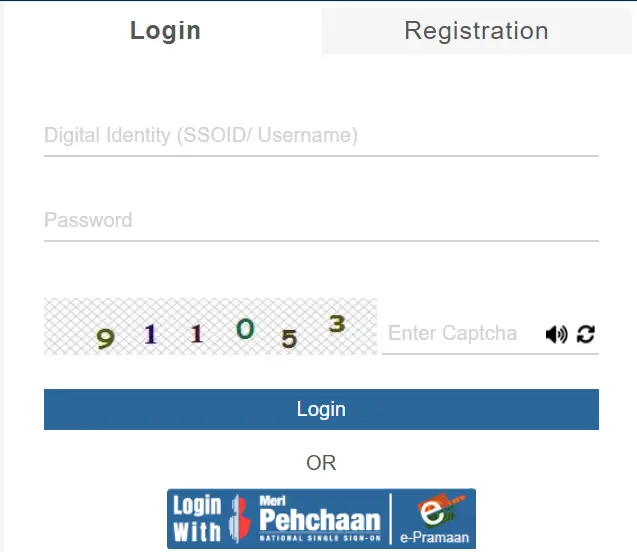
Forgot your password? Just click on the “Forgot Password” link on the login page to reset it easily using your mobile number or email.
Tip: Portal running slow? Try logging in before 9 AM or after 9 PM, as these are the low-traffic hours.
How to Recover or Reset SSO ID Password
Forgot your password? Don’t panic. We’ve all been there. Let’s fix it quickly.
- Go to the Forgot SSO ID page.
- Click on options based on your account, such as Citizen, Udyog, or Government Employee.
- Click on “Forgot Password”
- Enter your SSO ID, email, or phone number.
- You’ll receive an OTP (One-Time Password)
- Enter the OTP and click on submit to verify.
- Create a new password and make sure you use a strong password.
- Now click “Submit” and log in to your account to use all services freely.
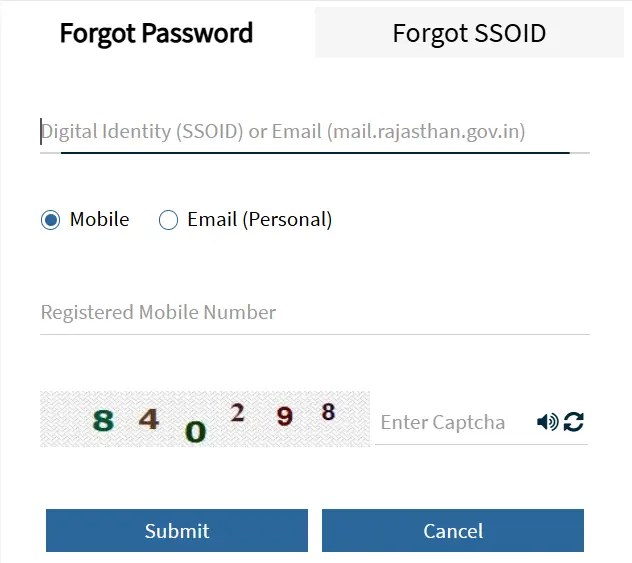
Tip: Try using a password you can remember, but others can’t guess. Avoid things like “123456” or “password“.
Troubleshooting Common Login Issues
Here are some quick fixes if you face login errors:
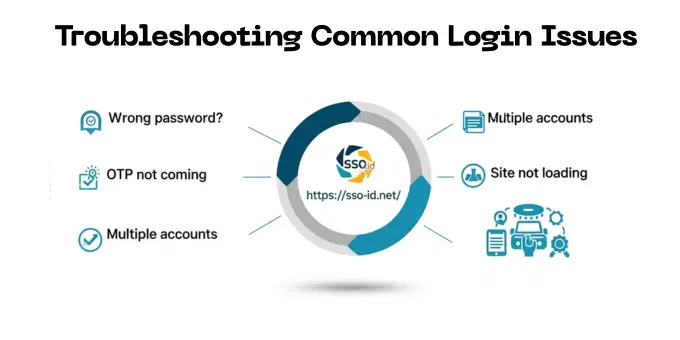
If nothing works, call the SSO ID helpline number or email support. Their contact info is shared at the end of this guide.
How to Update Jan Aadhaar & Profile Info
As an account holder, you can change your details anytime, such as your phone number, email, marital status, or Jan Aadhaar card. Follow the steps below to update your profile in under a minute without worry.
Steps to Update Jan Aadhaar number
- Log in to your SSO ID at the official website.
- Click on the “Profile” option.
- Look for the “Update” section.
- Enter your new Jan Aadhaar ID number.
- Click on “Fetch Details“, and it will automatically pull your latest info.
- Verify that everything looks correct.
- Click “Save” to save changes, and now your number has now been updated in your SSO account.
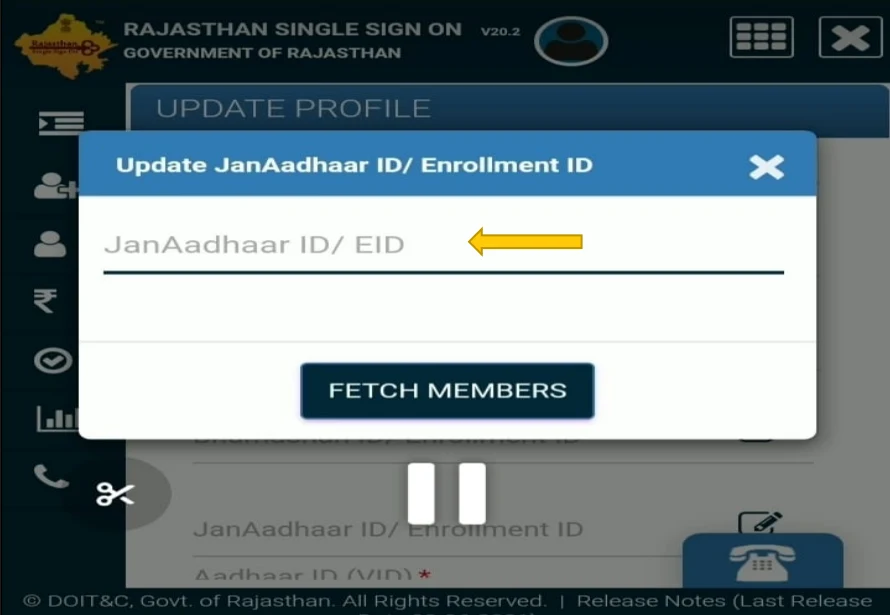
Note: Updating Jan Aadhaar helps unlock services linked with family and government benefits. Visit the Jan Soochna Portal for better guidance about Jan Aadhaar and its services.
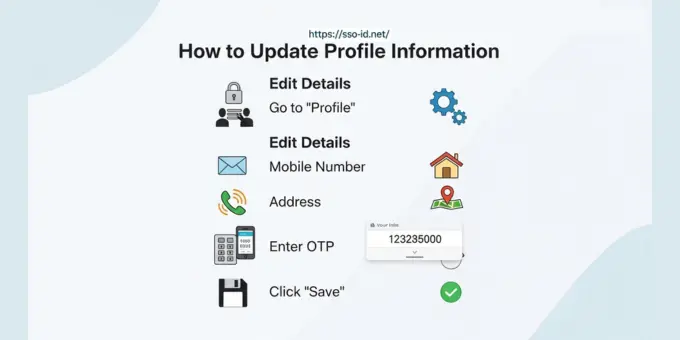
How to Update Profile Information
Updating your info, like Email, Mobile Number, etc, is very easy, just follow these steps:
- Log in to your SSO ID account.
- Go to “Profile”.
- For example: Edit your mobile number, email, address, etc.
- After editing, click on “Save” to save the changes.
- You may need to enter the OTP for security.
SSO ID Rajasthan on Mobile (SSO Raj App)
The SSO Raj App is the official mobile app of the Rajasthan Government for all SSO administrations. It eliminates the need to open the website repeatedly. Learn how to install it on Android and iOS devices.
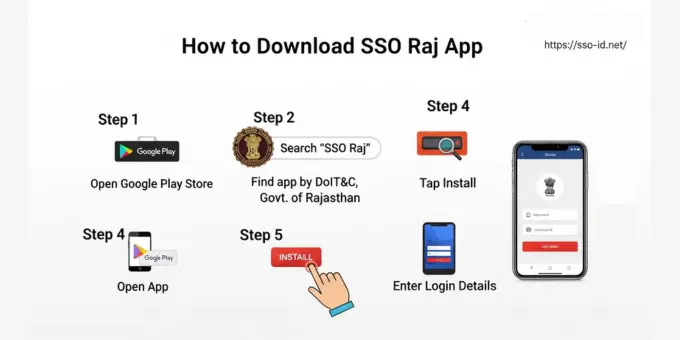
How to Download the SSO Raj App
For Android:
- Go to the Google Play Store
- Search “SSO Raj”
- Look for the app by DoIT&C, Government of Rajasthan
- Tap on Install and wait for the installation, then open the app.
- Enter your login details and start accessing your account from the app.
For iPhone:
- Go to the Apple App Store
- Search “SSO Raj”
- Install the official app, which will look like the app in the above image.
- Now open the app and enter your login credentials to enjoy SSO ID services.
✅ This app is 100% safe and government-verified.
Features of the SSO Raj App
The app provides multiple features, which are listed below:
Bonus Tip: Access job forms, scholarships, electricity bills, and more. Make sure to enable push notifications so you never miss an important update!
SSO ID Rajasthan Helpline Number
Need help? The Rajasthan Government has a dedicated team to solve your problems. Here’s how you can contact them:
| Contact Type | Details |
|---|---|
| SSO Helpline Number | 0141-3923700 / 0141-5153222 |
| Email Address | helpdesk.sso@rajasthan.gov.in |
| Toll-Free Grievance (Rajasthan Sampark) | 181 |
| Operational Days | Monday to Friday |
| Support Hours | 10:00 AM to 6:00 PM |
| Official Website | Site Link |
If your issues are not solved online, visit the Emitra Center for face-to-face help.
Frequently Asked Questions
Conclusion
The launch of SSO ID Rajasthan by the government has made things a lot simpler. Whether you’re a student, job seeker, business owner, or government employee, just one ID allows you to access all services available on the SSO Portal and saves you the hassle.
If you live in Rajasthan and don’t have an SSO ID yet, register today. It takes 5 minutes and opens up 200+ services you’re probably missing out on.